
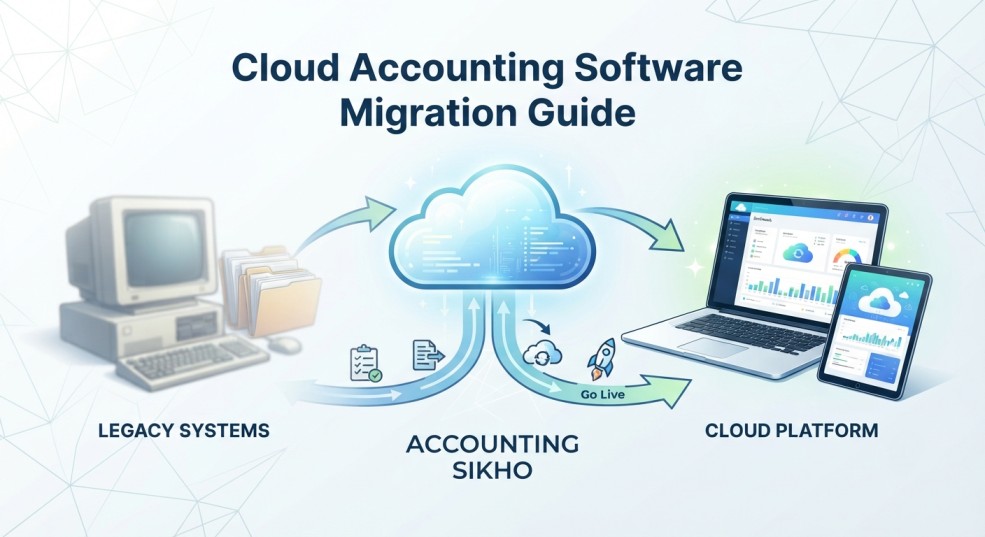
The transition from legacy, on-premise desktop spreadsheets and rigid software systems to dynamic online platforms is no longer a futuristic concept—it is a critical operational standard. Modern enterprises, growing small businesses, and agile startups face a common crossroad: how to migrate financial databases without risking data integrity, compliance gaps, or workflow downtime.
At Accounting Sikho, we understand that moving your core financial hub can feel daunting. However, with a strategic approach, transitioning to platforms like QuickBooks Online, Xero, or Zoho Books opens doors to real-time analytics, automated bank feeds, and seamless multi-user collaboration.
This cloud accounting software migration guide is designed to walk you through every critical phase of your journey, ensuring a secure and efficient digital transformation that sets your company up for long-term financial success.
Phase 1: Pre-Migration Audit and Comprehensive Planning
Before moving a single journal entry, vendor profile, or customer invoice, you must thoroughly assess your existing financial ecosystem. Rushing into a cloud migration without a clean data strategy often leads to migrated clutter, broken formulas, and inflated subscription tier costs.
Evaluating Your Current Chart of Accounts
Your chart of accounts is the structural spine of your financial record-keeping. Over the years, legacy systems tend to accumulate redundant accounts, unused sub-accounts, and obsolete tax codes. Take time during this phase to:
Review all active accounts and archive obsolete legacy ledgers.
Clean up inactive customer profiles and vendor listings that haven’t been utilized in over twelve months.
Standardize naming conventions so that reporting is crisp and uniform across the board.
Mapping Out Third-Party Integrations
Modern businesses rely heavily on connected tech stacks. Moving to the cloud means your accounting software must communicate effortlessly with external tools. Identify every application your business depends on, such as e-commerce checkouts (Shopify, WooCommerce), CRM platforms (Salesforce, HubSpot), inventory management trackers, and online payment gateways.
Defining User Roles and Security Permissions
One of the greatest benefits of cloud migration is granular access control. Determine who in your organization requires access, outlining distinct administrative, viewing, and data-entry privileges. Restricting sensitive payroll or banking views protects your internal data integrity.
Expert Insight: At Accounting Sikho, we always recommend conducting a complete historical cleanup during the pre-migration phase. Cleaning your data beforehand guarantees that your new cloud environment starts with pristine, audit-ready records.
Phase 2: Selecting the Right Cloud Ecosystem
Choosing the correct cloud platform dictates the long-term success of your financial workflows. Not all platforms are built for every business model, industry vertical, or transaction volume.
Key Features to Look For:
Automated Bank Feeds & Reconciliation: Look for systems that sync smoothly with your banking institutions to match transactions automatically, cutting down manual data entry hours.
Robust Security Protocols: Ensure the provider features end-to-end data encryption (such as 256-bit SSL), multi-factor authentication (MFA), and automated daily cloud backups.
Scalability and Add-On Ecosystems: Select an ecosystem with a rich marketplace of extensions so the software can easily scale alongside your revenue growth and evolving business needs.
Phase 3: Data Extraction, Cleansing, and Mapping
Once your target platform is selected, the technical migration process begins. Data mapping is where you connect fields from your old legacy database into the corresponding parameters of your new cloud software.
Exporting Historical Data
You will need to export your customer lists, vendor details, open invoices, unpaid bills, and trial balances. Most legacy software packages allow you to export these files cleanly into CSV or Excel spreadsheet formats.
Performing Deep Data Cleansing
Before importing these files into your new cloud platform, review them for duplicate contacts, inconsistent date formats, and mismatched tax codes. A small typo in an opening balance sheet can cascade into major reporting discrepancies later.
Executing a Test Migration
Never jump straight into a live environment with unverified data. Import a small subset of your data first—such as a single month of transactions or a handful of customer profiles. Run a test trial to verify that balances align correctly and that financial reports generate without errors.
Phase 4: Execution, Parallel Running, and Go-Live
The final hurdle of your cloud accounting software migration guide involves transferring live operations over to the new digital environment and winding down your legacy setup.
Choosing Your Migration Timing
Many businesses target the end of a financial quarter or fiscal year to simplify comparative reporting and tax filings, though a mid-month transition is entirely manageable with proper reconciliation.
Running Systems in Parallel
For the first 30 days, maintain a brief parallel run—recording transactions in both systems or verifying initial cloud inputs against legacy baselines to confirm absolute accuracy. This acts as a safety net against unforeseen discrepancies.
Decommissioning the Legacy System
Once you are fully confident in your cloud reports and your team is comfortable with the new interface, archive your old desktop database securely for compliance and historical audit purposes.
Frequently Asked Questions
How long does a typical cloud accounting software migration take?
For most small-to-midsize businesses, a standard migration takes anywhere from 2 to 4 weeks from initial planning to final go-live. Highly complex enterprise setups featuring custom multi-entity structures and deep inventory integrations may require 8 to 12 weeks of planning and execution.
Is my financial data secure in the cloud?
Yes. Modern cloud accounting platforms utilize bank-grade 256-bit SSL encryption, multi-factor authentication, and secure cloud server infrastructures that far exceed the physical security of a local office hard drive or desktop computer sitting on a physical desk.
Do I need an external consultant to handle the migration?
While smaller service businesses can often transition independently using built-in migration wizards, partnering with certified professionals ensures you avoid costly configuration errors, improper tax mappings, or broken historical data links that can disrupt your books.
Conclusion
Transitioning your financial operations to the cloud is a monumental step toward heightened efficiency, financial visibility, and long-term scalability. By carefully auditing your legacy records, choosing the right platform, and executing a structured migration timeline, you protect your business data while empowering your team with modern tools.
Ready to transform your financial management? Explore more expert resources, step-by-step tutorials, and professional advisory insights right here at Accounting Sikho to keep your business moving forward.